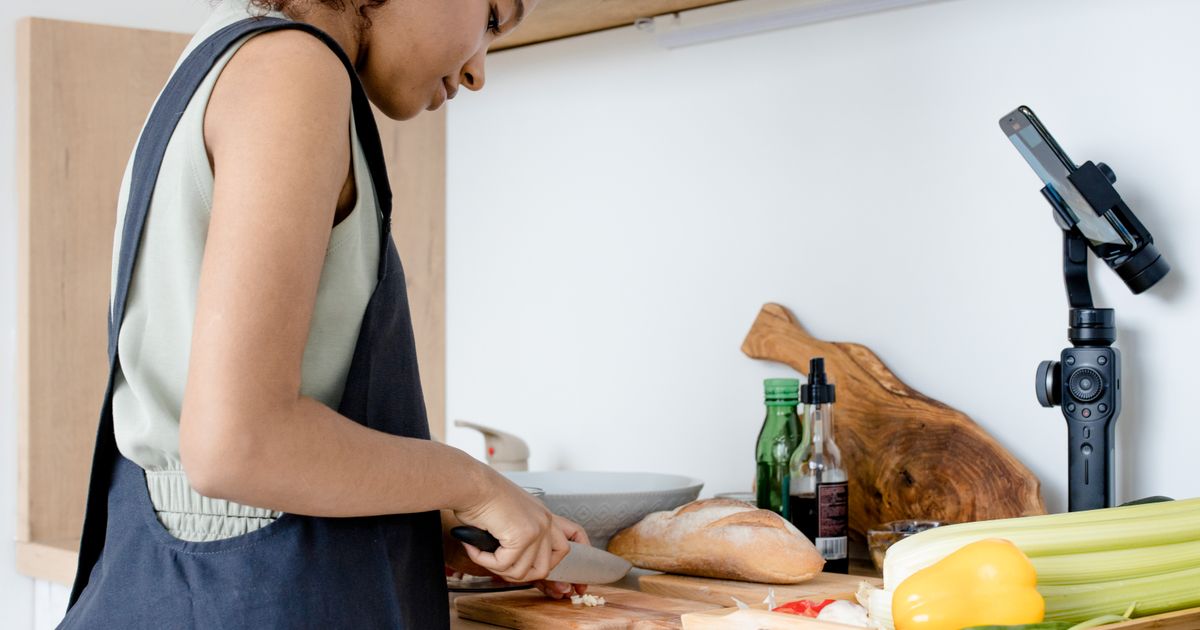
TikTok Shop is an affiliate program that lets food and kitchen creators earn 5–20% commission by tagging products directly in videos and live streams. You sign up as an affiliate, browse the product library for cookware, appliances, and ingredients, add product links to your content, and earn commission on completed sales. TikTok handles checkout, fulfillment, and payments twice monthly.
TikTok Shop lets food and kitchen creators earn commission by promoting products directly in videos and live streams without building your own inventory. You sign up as an affiliate, browse the product library for cookware, appliances, ingredients, or tools, add product links to your content, and earn 5–20% commission on completed sales. The platform handles checkout, fulfillment, customer support, and commission payouts twice monthly. See also blog. how brands find and recruit kitchen affiliates
Unlike traditional affiliate programs where you copy links from multiple merchant sites, TikTok Shop centralizes discovery, tagging, and tracking inside Creator Center. Your audience shops without leaving the app, reducing purchase friction and improving conversion rates. For kitchen creators showing cast-iron restoration, air fryer recipes, or knife skills, this means monetizing content you already make—no media kit pitches or brand negotiations required to start.
How the TikTok Shop Affiliate Model Works for Food Creators
TikTok Shop operates as a three-sided marketplace connecting sellers (brands and manufacturers), creators (affiliates who promote products), and buyers. Sellers list products on TikTok Shop and set commission rates, typically 5–30% of the sale price. Creators apply to become affiliates, browse the product catalog, and tag products in short videos, live streams, or the product showcase tab on their profile.
When a viewer taps a tagged product, they see price, seller details, and a yellow shopping cart icon. Purchases complete in-app using TikTok's native checkout. Attribution lasts 7 days: if someone taps your product link today and buys within a week, you earn the commission even if they close the app and return later. TikTok tracks the sale to your creator account and pays out twice monthly via direct deposit or PayPal.
The affiliate model differs from selling your own products because you carry no inventory risk, handle no shipping, and don't manage customer service. You choose which products align with your content—whether that's viral kitchen gadgets like mini waffle makers or specialty ingredients like gochugaru—and integrate them naturally into recipes, unboxings, or comparison videos.
Creator vs Seller Accounts: Which One You Need
TikTok Shop offers two account types with distinct permissions and requirements. A creator account (affiliate) promotes products from the TikTok Shop catalog and earns commission. A seller account lists products for sale, manages inventory, and fulfills orders. Kitchen creators monetizing content through product recommendations should apply for a creator account. If you manufacture your own spice blends or cookbooks and want to sell them directly on TikTok Shop, you need a seller account instead.
You can hold both account types simultaneously using the same TikTok profile. For example, a sourdough creator might sell their own branded banneton baskets as a seller while also promoting third-party Dutch ovens and bench scrapers as an affiliate. Most food creators start with the creator account because the barrier to entry is lower: you need 1,000 followers and no business registration paperwork to apply.
Eligibility and Application Requirements for Kitchen Creators
To join TikTok Shop as a creator, you must meet three baseline criteria: at least 1,000 followers, an account in good standing (no active community guideline strikes), and residence in a market where TikTok Shop operates (currently the US, UK, and select Southeast Asian countries). Your account must be at least 30 days old and set to a business or creator account type, not personal.
Application happens inside the TikTok app. Tap the three-line menu, select "Creator Tools," then "TikTok Shop." If eligible, you'll see an "Apply" button. The review process typically takes 1–3 business days. TikTok evaluates content quality, engagement rate, and adherence to community standards—accounts that post only promotional content or use misleading tactics are often rejected.
Once approved, you gain access to Creator Center, the dashboard where you browse products, generate affiliate links, and track commission earnings. Kitchen creators benefit from the platform's growing food and cookware category, which includes thousands of products from stand mixers and knife sets to olive oil and parchment paper.
Account Setup and Verification Steps
After approval, complete your seller profile in Creator Center. Add a payout method (bank account or PayPal), enter your tax information (W-9 for US creators), and set content preferences to filter the product catalog by category. For food creators, enable filters for Home & Kitchen, Grocery & Gourmet, and Appliances to surface relevant products faster.
Verification requires uploading a government-issued ID for identity confirmation. TikTok uses this to comply with payment processing regulations and prevent fraud. The verification step typically clears within 24 hours. Until verified, you can browse products but cannot generate affiliate links or tag items in videos.
Finding and Choosing Kitchen Products to Promote
Creator Center's product catalog lists items by category, trending status, commission rate, and seller rating. Use the search bar to find specific tools—"cast iron skillet," "bread lame," "instant-read thermometer"—or browse curated collections like "Trending in Kitchen" or "High Commission." Each product listing shows the base price, commission percentage, estimated earnings per sale, seller shipping time, and average customer rating.
Prioritize products with commission rates above 10% and seller ratings above 4.5 stars. Low-rated sellers generate higher return rates, which can void your commission if the buyer initiates a refund within the return window. Check the product's reviews inside TikTok Shop before promoting it—if multiple buyers report quality issues or slow shipping, choose an alternative even if the commission rate is attractive.
Kitchen creators should match products to content pillars. If you teach knife skills, promote whetstones, honing steels, or chef knives. If you bake sourdough, link to Dutch ovens, bench scrapers, and linen liners. Mismatched products—like tagging a random phone case in a recipe video—confuse your audience and lower conversion rates because viewers expect recommendations aligned with the content they follow you for.
Sample Collections for Food Creator Niches
- Bread bakers: Dutch ovens, proofing baskets, bread lames, digital kitchen scales, linen bread bags
- Air fryer creators: silicone liners, oil misters, air fryer cookbooks, parchment rounds, multi-level racks
- Knife skills and butchery: chef knives, cutting boards, knife guards, sharpening stones, kitchen shears
- Fermentation and preserving: mason jars, fermentation weights, pH strips, cheesecloth, canning funnels
- Meal prep and storage: glass containers, vacuum sealers, freezer labels, portion scoops, lunch boxes
Tagging Products in Videos and Live Streams
To tag a product in a video, record and edit your content as usual, then tap "Next" to reach the post screen. Select "Add link," choose "TikTok Shop," and search for the product by name or browse your saved items. Tap the product to attach it, and a small shopping bag icon appears in the lower-left corner of the video when published. Viewers tap the icon to see product details and purchase without leaving TikTok.
You can tag up to five products per organic video and up to 20 during a live stream. For live shopping, products appear in a tray at the bottom of the screen that viewers swipe through while you demonstrate or discuss items. Live streams generate higher conversion rates than pre-recorded videos because real-time interaction—answering questions, showing different angles, offering limited-time discounts—reduces buyer hesitation.
Tag products early in the video or mention them verbally so viewers know a link is available. A common mistake is tagging a Dutch oven but never showing it on screen or explaining why you use that specific model. Contextual integration matters: "I proof my dough in this banneton because the cane ridges create better surface tension—link below" converts better than simply dropping a product tag with no explanation.
Product Showcase and Storefront Setup
Your profile includes a "Shop" tab where tagged products from recent videos appear automatically. Organize this showcase by creating collections—group air fryer tools together, or build a "beginner kitchen essentials" bundle. Collections help viewers browse your recommendations by theme rather than scrolling through a random product list.
Pin your top three converting products to the showcase header. These remain visible when someone visits your profile, even if you haven't posted about them recently. Update pinned products seasonally: feature baking tools in November and December, grilling accessories in summer, and preservation supplies during harvest months.
Commission Structure and Payout Mechanics
Commission rates vary by product category and individual seller decisions. Kitchen and home goods typically range from 8–15%, while specialty ingredients or branded cookware may offer 5–10%. Higher commission doesn't always mean higher earnings—a $12 silicone spatula at 15% commission pays $1.80, while a $200 stand mixer at 8% pays $16. Focus on products your audience will actually buy, not just the highest percentage.
TikTok calculates commission on the product price after any applied discounts but before taxes and shipping. If a viewer uses a $5-off coupon on a $50 item with 10% commission, you earn $4.50 (10% of $45), not $5. Returns and cancellations within the return window void the commission. The standard return window is 30 days, but some sellers extend it to 60 or 90 days for seasonal items.
Payouts occur twice monthly, around the 1st and 15th, for commissions earned 14 days prior. This delay accounts for the return window—TikTok withholds payment until the buyer's ability to return the item expires. Minimum payout threshold is $10; if you earn less than that in a payout cycle, the balance rolls over to the next period. Payments arrive via direct deposit or PayPal, depending on the method you selected during setup.
Tracking Earnings in Creator Center
Creator Center's analytics tab breaks down performance by video, product, and time period. Key metrics include views, clicks (how many viewers tapped the product link), orders, GMV (gross merchandise value—the total dollar value of sales attributed to you), and commission earned. Click-through rate (CTR) and conversion rate reveal which content drives purchases versus passive viewing.
A typical food creator sees 1–3% CTR and 2–5% conversion from click to purchase. If your CTR is below 1%, viewers either don't notice the product tag or the product doesn't match the content. If CTR is strong but conversion is weak, the product page, price, or reviews may be turning buyers away. Use this data to refine which products you promote and how you integrate them into videos.
Compliance, Disclosure, and FTC Guidelines
US creators must follow FTC disclosure rules when promoting affiliate products. TikTok's platform auto-labels Shop-tagged videos with a "Paid partnership" or "Shop" badge, but you should also disclose verbally or in on-screen text if you earn commission. A simple "I earn commission from purchases through TikTok Shop links" in the video description or spoken at the beginning of the video satisfies FTC requirements.
Avoid misleading claims about product performance. If you haven't personally used the Dutch oven you're tagging, say so—"This one is popular with my audience but I haven't tested it yet" maintains trust. False claims (e.g., "this knife stays sharp forever" when it requires regular honing) violate both FTC rules and TikTok's community guidelines, risking account penalties or permanent removal from the TikTok Shop program.
Some products require additional disclosures. If you promote dietary supplements, TikTok Shop flags the video with a health disclaimer. Alcohol, tobacco, and certain wellness products are prohibited from TikTok Shop entirely. Review TikTok's restricted product list in Creator Center before tagging items—violations can result in immediate commission forfeiture and account suspension.
Content Strategies That Drive TikTok Shop Conversions
Product-first content performs better than generic recipe videos with an afterthought product tag. Structure videos around the tool or ingredient: "Three meals I make in my air fryer every week" converts higher than "Here's a chicken recipe" with an air fryer link buried in the description. Viewers who click through to your content seeking product recommendations are primed to buy.
Use before-and-after formats to demonstrate product value. Show dough sticking to a regular bowl, then the same dough releasing cleanly from a silicone bowl. Compare knife sharpness with a tomato-slice test before and after using a whetstone. Contrast builds urgency—viewers see the problem your tagged product solves and want that result for themselves.
Time product promotions with seasonal demand. Tag baking tools in October through December, grilling accessories in May and June, and fermentation supplies in late summer during harvest season. TikTok Shop's algorithm favors products gaining traction, so promoting a stand mixer during Black Friday week places your link in front of buyers already searching for that category.
Batch Content Around Product Collections
Instead of tagging different products in every video, create a series around one tool. Post five air fryer recipes over two weeks, tagging the same air fryer and accessories each time. Repeated exposure increases purchase intent—viewers who see you use the same Dutch oven in three sourdough videos are more likely to buy it than someone who sees it once.
Build "starter kit" or "essentials" content for beginners. A video titled "Five tools every bread baker needs" lets you tag multiple complementary products—banneton, bench scraper, lame, Dutch oven, kitchen scale—and earns commission on each item a viewer purchases from that single video. Bundled recommendations convert well because they simplify decision-making for new hobbyists.
Common Performance Pitfalls and How to Avoid Them
Low conversion rates often stem from tagging products you don't show or explain in the video. If you make pasta carbonara and tag a random cutting board that appears on screen for two seconds, viewers won't understand why they should buy it. Every tagged product needs context: what it does, why you chose it, or how it improves the result.
Promoting too many products in one video splits attention and lowers conversion. Tagging five items in a 60-second video gives each product 12 seconds of consideration. Focus on one or two hero products per video, especially in short-form content. Save multi-product showcases for live streams where you have time to demonstrate each item and answer questions.
Ignoring product reviews and seller ratings costs you credibility. If you tag a knife set with 3.2 stars and viewers buy it, then leave comments saying "this knife rusted after one use," future viewers stop trusting your recommendations. Spend five minutes reading product reviews before adding any item to your content rotation.
Tracking What Drives Your Commission
Run monthly audits of your top-performing videos in Creator Center. Identify which product categories convert best for your audience—if air fryer accessories consistently outperform baking tools, shift your content mix to favor that category. Note which video formats (demos, unboxings, comparisons) generate higher CTR and double down on those structures.
Compare earnings per 1,000 views across different product price points. A $15 spatula may convert at 5% but only earn $0.75 per sale, while a $120 stand mixer converts at 1% but earns $9.60. Higher-priced items often generate better revenue per view even with lower conversion rates, especially if your audience skews toward serious home cooks willing to invest in premium tools.
How TikTok Shop Fits Into a Creator Revenue Stack
TikTok Shop commission complements other monetization streams—Creator Fund, brand sponsorships, and external affiliate programs—without requiring separate link management. If you already earn from brand deals, TikTok Shop fills the gap between sponsored posts by monetizing organic content. A sourdough creator might land a quarterly sponsorship with a flour brand while earning daily commissions from Dutch oven and banneton sales.
Unlike Amazon Associates or ShareASale, TikTok Shop's in-app checkout reduces link fatigue. Viewers don't need to leave TikTok, open a browser, and navigate a third-party site—they tap, review, and buy in under 30 seconds. Lower friction means higher conversion, especially for impulse purchases under $50 like kitchen gadgets or pantry staples.
For creators exploring your own product line, TikTok Shop serves as both a revenue source and a testing ground. Promote third-party products to validate demand—if your audience buys cast-iron care kits consistently, that signals an opportunity to develop your own branded version. Affiliate sales data shows what your audience wants before you invest in manufacturing or inventory.
If you're ready to start earning commission on the kitchen content you already create, explore the affiliate tools inside Thrive's creator network for product matching and performance support.
Last verified April 2024
Frequently asked questions
What are the eligibility requirements to join TikTok Shop as a creator?
You need at least 1,000 followers, an account in good standing with no active community guideline strikes, and residence in a market where TikTok Shop operates (US, UK, and select Southeast Asian countries). Your account must be at least 30 days old and set to a business or creator account type. You apply through Creator Tools in the TikTok app, and the review process typically takes 1–3 business days.
How much commission do creators earn from TikTok Shop sales?
Commission rates vary by product category and seller. Kitchen and home goods typically range from 8–15%, while specialty ingredients or branded cookware may offer 5–10%. Commission is calculated on the product price after discounts but before taxes and shipping. Payouts occur twice monthly for commissions earned 14 days prior, with a minimum payout threshold of $10.
How many products can I tag in a single TikTok Shop video?
You can tag up to five products per organic video and up to 20 products during a live stream. For live shopping, products appear in a tray at the bottom of the screen that viewers swipe through while you demonstrate or discuss items.
What happens if a customer returns a product I promoted?
Returns and cancellations within the return window void your commission. The standard return window is 30 days, though some sellers extend it to 60 or 90 days for seasonal items. TikTok withholds payout for 14 days after the sale to account for the return window before paying you.
Do I need to disclose that I earn commission from TikTok Shop links?
Yes, US creators must follow FTC disclosure rules. TikTok auto-labels Shop-tagged videos with a 'Paid partnership' or 'Shop' badge, but you should also disclose verbally or in on-screen text. A simple statement like 'I earn commission from purchases through TikTok Shop links' in the description or at the video start satisfies FTC requirements.
Sources
- How Does TikTok Shop Work: A Complete Guide
- What is TikTok Shop & how do creators use it?
- TikTok Shop for Creators vs Sellers: What You Need to Know
- TikTok Shop: Creators vs Sellers
- How Does TikTok Shop Work? Sellers, Creators, and Affiliates Explained
- How Does TikTok Shop Work for Creators?
- TikTok kitchen: How viral cooking videos changed what we actually own