Custom cookbook printing delivers your finished book in the format you specify—trim size, binding style, paper stock, and cover finish—so every copy matches your recipe layout, photo style, and intended use. Whether you're printing fifty wire-O family recipe books or three thousand case-bound cookbooks for kitchen shops, custom printing locks in consistent quality and lets you scale to retail distribution or direct sales without waiting for a traditional publisher. choosing between POD, short-run, and offset printing
This guide walks you through custom cookbook printing decisions: binding durability, finish options, file preparation, ISBN setup, proof validation, and order workflow—the operational steps that sit between choosing a printer and receiving your first pallet. By the end you'll know which binding survives heavy kitchen use, how to submit print-ready files, and when to order a hardcopy proof before committing to a full run.
Binding Styles That Survive Kitchen Use
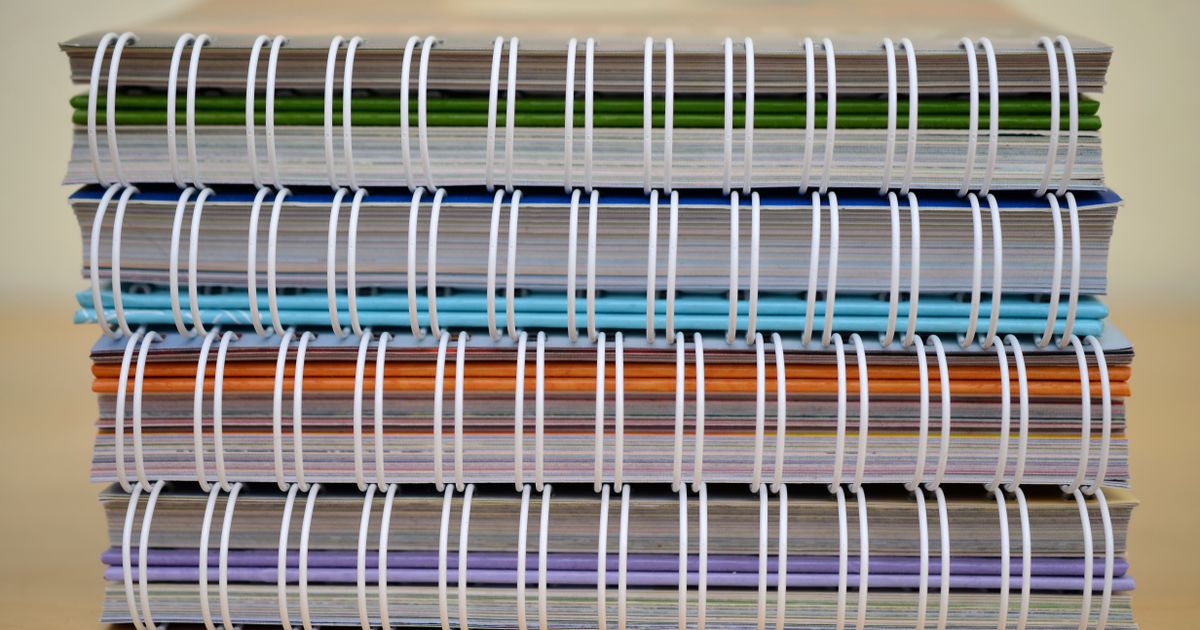
Binding determines durability and lay-flat performance, both critical in a kitchen environment. Wire-O (spiral wire) and coil binding let pages fold flat on the counter; books stay open at the active recipe without clips. Print Ninja reports that wire-O is their most-requested cookbook binding because it supports heavy use and lies flat at any page spread.
Perfect binding—glued square spines—works for higher page counts (80–400 pages) and gives bookstore-ready presentation, but pages won't stay open unless readers crack the spine. Case binding (hardcover with sewn or glued signatures) adds weight and production cost, yet delivers the premium feel required for retail shelf placement. Greener Printer's custom cookbook page recommends case binding for cookbooks exceeding 150 pages when durability is more important than per-unit price.
Saddle-stitch (center staple) suits pamphlet-style recipe collections under 48 pages. It's the lowest-cost binding but shows visible staples at the spine, which may undermine perceived value in retail channels. For homestead or farm-to-table recipe books that users keep in a kitchen drawer, saddle-stitch offers fast turnaround and simple file prep. Avoid it if your cookbook includes more than 48 pages or requires a spine wide enough to print a title.
Paper Stock & Cover Finishes for Recipe Books
Interior pages must resist grease and moisture. 70–80 lb uncoated stock provides pen-friendly annotation margins for home cooks who scribble notes, while 100 lb gloss or satin enhances photo saturation if your cookbook is image-heavy. Greener Printer stocks both weights and notes that heavier gloss stock increases per-book weight and shipping cost by 8–12%, so factor those into volume pricing when calculating per-unit cost.
Lamination on covers—gloss, matte, or soft-touch—adds spill resistance. Gloss lamination amplifies cover color but shows fingerprints. Matte lamination reduces glare and feels less slippery in wet hands. Spot UV applies a glossy raised layer over selected design elements (recipe titles, food photos) while leaving the rest of the cover matte; it creates tactile contrast and may improve shelf appeal in direct-sales channels.
If you're distributing to bookstores, add a protective mylar overwrap or shrink-wrap to prevent cover scuffs during shipping. Lulu's cookbook page offers optional shrink-wrap at checkout for case-bound orders, adding approximately $0.15 per unit.
Trim Size & Margin Standards for Custom Cookbooks
Standard cookbook sizes—6″×9″, 7″×10″, 8″×10″, and 8.5″×11″—fit bookstore shelves and kitchen recipe stands. 8″×10″ portrait is the most common trim for custom cookbook printing because it balances visual space for full-page photos with a spine wide enough to stack upright. Larger sizes (8.5″×11″) demand higher postage and may exceed envelope or flat-rate box dimensions if you ship direct.
Plan interior margins for the binding style: wire-O requires 0.5″ gutter clearance so text doesn't disappear into the spiral. Perfect-bound books need at least 0.75″ inside margins to prevent word crop when the spine doesn't open flat. Common format and binding errors include gutter text that gets swallowed by the spine—always export a two-page spread PDF and measure the live text area before upload.
Bleed settings (usually 0.125″) let full-page images extend beyond the trim line. If your design includes background colors or edge-to-edge photos, export files with bleed and trim marks so the printer knows where to cut.
File Preparation: CMYK, Resolution & PDF Export
Submit files in CMYK color mode at 300 dpi minimum for photos. RGB files display brighter on screen but translate unpredictably to offset or digital presses. Most printers reject RGB submissions or convert them automatically, which can shift reds toward magenta and greens toward cyan. Convert in Adobe InDesign, Affinity Publisher, or export a CMYK PDF from Canva Pro (the free tier exports RGB only).
Embed all fonts and flatten transparency layers before exporting. Use PDF/X-1a or PDF/X-4 presets to preserve CMYK and trim marks. Print Ninja's file requirements specify PDF/X-1a with 0.125″ bleed, crop marks, and no security restrictions.
If you're working with a designer, request the native InDesign or Affinity package alongside the PDF so you can adjust recipes or swap photos without round-trip delays. Store final files in a shared drive with version numbers (e.g., SpringRecipes_v3_Final_CMYK.pdf) so your printer and any collaborators reference the same revision.
Barcode & ISBN Placement
If you plan bookstore distribution or retail sales, you need an ISBN purchased from Bowker (US) or your country's ISBN agency. ISBN block (including the barcode) belongs on the back cover, lower-right corner, at least 0.25″ from trim edges. Export the barcode as a vector EPS or high-resolution PNG (600 dpi) and place it in your cover layout before generating the final PDF.
Some print-on-demand platforms (Lulu, IngramSpark) offer free ISBNs, but that ISBN lists the platform as publisher of record, which can complicate distribution if you later switch printers. Purchasing your own ISBN ($125 for one, $295 for ten from Bowker) keeps you as the publisher and lets you move between printers or fulfillment partners without reprinting covers.
Proof Workflow & Quality Control Checklist
Order a hardcopy proof before approving any run over 100 copies. Digital proofs (PDFs) won't reveal bleed misalignment, color shifts, or binding gutter issues. A physical proof costs $15–$50 depending on binding and shipping speed, but catches errors that would otherwise multiply across your entire inventory.
Check these elements in your proof:
- Cover alignment: Does the spine text sit centered? Are front and back cover images aligned at the spine fold?
- Gutter clearance: Open the book flat; ensure no recipe text disappears into the binding.
- Color accuracy: Compare printed photos to your screen or a calibrated reference print. Reds and blues shift most often.
- Page order: Flip through and confirm recipes appear in sequence, especially if you made last-minute edits.
- ISBN barcode: Scan it with a smartphone barcode app to verify the number matches your ISBN registration.
If you spot issues, request corrections in writing and ask for a revised proof before final approval. Most printers include one round of proof revisions in setup fees; additional proofs may cost $20–$40 each.
Order Minimums & Volume Breaks for Custom Runs
Print-on-demand (POD) platforms have no order minimum—you can print one copy at a time—but per-unit costs run $8–$18 for a 100-page cookbook. Lulu lets you order singles for testing or pre-sale validation before committing to inventory.
Short-run digital printing typically requires 25–250 copies and drops per-unit cost to $4–$8. Setup fees ($150–$400) spread across the run, so ordering 250 copies instead of 50 can cut your unit price by 30–40%. Digital presses handle variable data well, so you can personalize covers (family names, event dates) within the same run without reprinting plates.
Offset printing demands 500–2,000+ copies but delivers the lowest per-unit cost ($2–$4 for a 100-page case-bound cookbook). Setup fees climb to $800–$1,500 because offset requires metal plates for each ink color. Choose offset if you're confident in your sales channel—bookstore placement, established online following, or pre-orders that justify the upfront inventory investment. Use the cost calculator to model per-unit price at each volume before locking in a printer.
Shipping, Warehousing & Fulfillment for Direct Sales
Custom print runs ship on pallets or in cartons; a pallet of 500 case-bound 8″×10″ cookbooks weighs approximately 250–300 lbs. If you're fulfilling orders yourself, ensure your address can receive freight (residential addresses may incur lift-gate fees of $75–$150). Some printers offer drop-shipping—they store inventory and ship individual orders on your behalf—at $2–$4 per order plus postage.
For TikTok Shop or Shopify storefronts, integrate fulfillment early. Printful's TikTok Shop integration automates POD fulfillment for cookbooks up to 80 pages, syncing orders from your shop to their print queue. If your cookbook exceeds Printful's page limit or you want short-run inventory control, partner with a third-party logistics provider (3PL) that handles book storage and daily shipments. Acutrack offers combined printing and fulfillment for TikTok Shop sellers, storing pre-printed inventory and shipping within 24 hours of order receipt.
Plan postage based on weight: a 100-page wire-O cookbook in an envelope typically qualifies for USPS First Class (under 16 oz), while case-bound books over 1 lb require Priority Mail or Media Mail. Media Mail (book rate) is cheaper but slower (2–8 days) and limited to bound books without advertising inserts.
Custom Add-Ons: Tabs, Ribbons & Recipe Inserts
Tabbed dividers (appetizers, mains, desserts) improve navigation in cookbooks over 100 pages. Printed tabs cost $0.15–$0.40 per book depending on quantity and tab count. Ribbon bookmarks sewn into the spine add a premium touch for case-bound cookbooks and cost approximately $0.10–$0.25 per unit.
Lay-flat binding (PUR glue or sewn signatures) lets pages open 180° without breaking the spine—ideal for kitchen use but adds $0.50–$1.00 per book. Consider it if your cookbook is sold as a gift or keepsake rather than a consumable how-to guide.
Some printers accept custom inserts: blank recipe cards, conversion charts, or ingredient shopping lists tucked into a pocket glued to the inside back cover. Inserts increase hand-assembly labor, so expect setup surcharges or higher minimums (often 250+ copies).
Timeline from File Submission to Delivery
POD orders print and ship within 3–7 business days. Short-run digital runs take 7–14 days after proof approval. Offset printing requires 3–5 weeks: plate creation (3–5 days), press time (2–4 days), binding and finishing (3–7 days), plus freight transit.
Build buffer time for proofing: if your first proof reveals a color shift or gutter crop, expect another 5–10 days for a revised proof. Add holiday blackout periods (printers close or slow down near Thanksgiving, Christmas, and New Year) and paper-stock delays if you specify non-standard weights or textures.
For time-sensitive launches—cookbook release events, holiday gift sales—submit files at least eight weeks before your target date if using offset, four weeks for short-run digital, and two weeks for POD.
Last verified: January 2025
Sources
- Cookbook Printing | Custom Recipe Books for Authors | PrintNinja
- Custom Cookbook Printing | Print Family or Recipe Books
- Make Your Own Cookbook or Recipe Book | Lulu
- Sell on TikTok Shop with Print-On-Demand
- Book Fulfillment and Printing for TikTok Shops
- Bowker – ISBN Services
Ready to spec your cookbook print run? Start your custom cookbook project today.